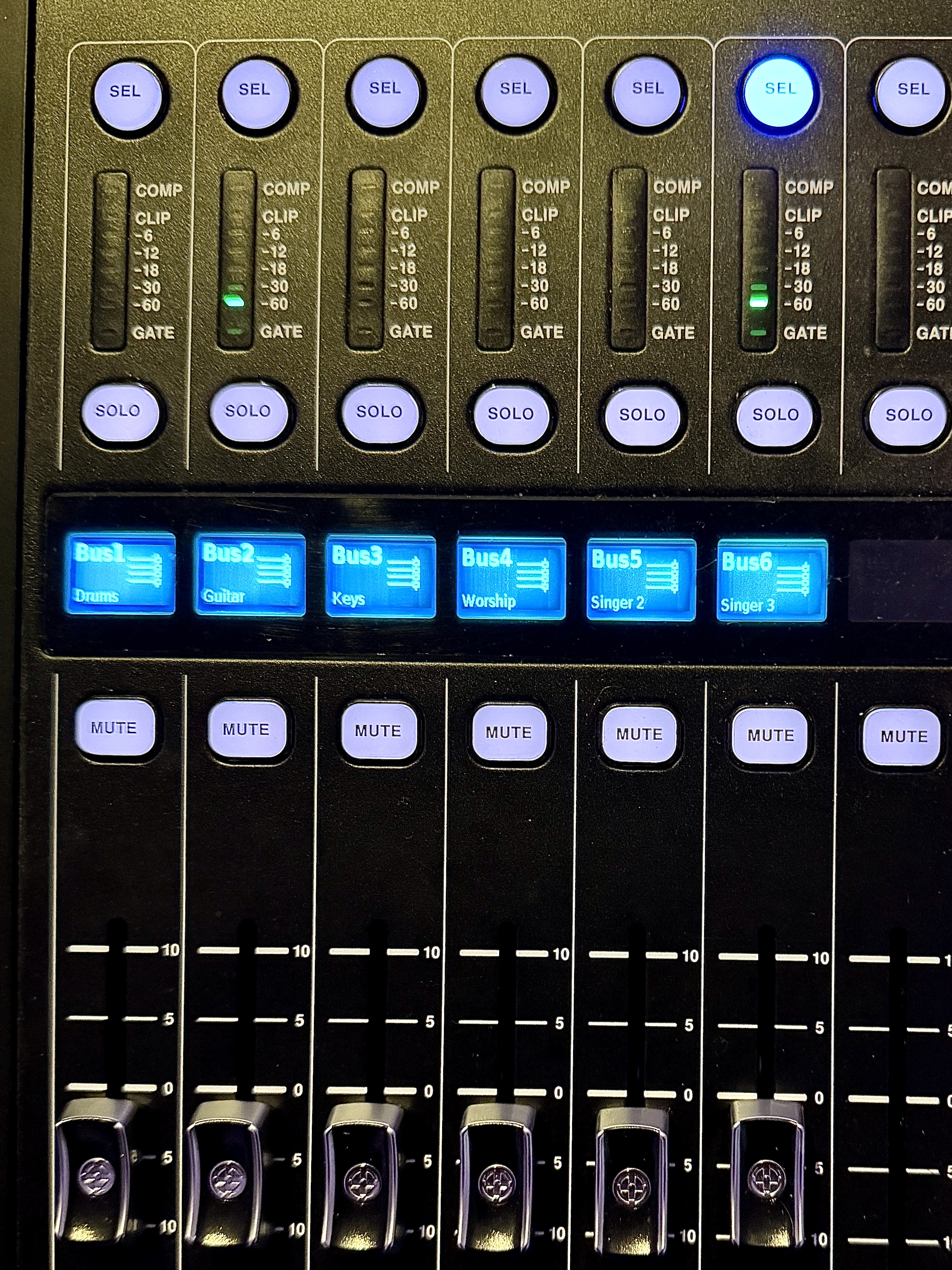
Select the right mix
Practise identifying the performer and bus before making changes.
RIVIERA SOUND APP · FOR CHURCH CREATIVE TEAMS
Free on the Australian App Store · iPhone with iOS 17 or later. Check your local App Store for availability.
Get comfortable at the sound desk, one step at a time. A guided iPhone training companion for church sound volunteers, musicians and creative teams.
Free to download · No purchases or subscriptions
For iPhone · Requires iOS 17 or later.
From knowing your desk to checking the right mix—practical guidance for your Sunday sound team. Tap any image for a closer look.
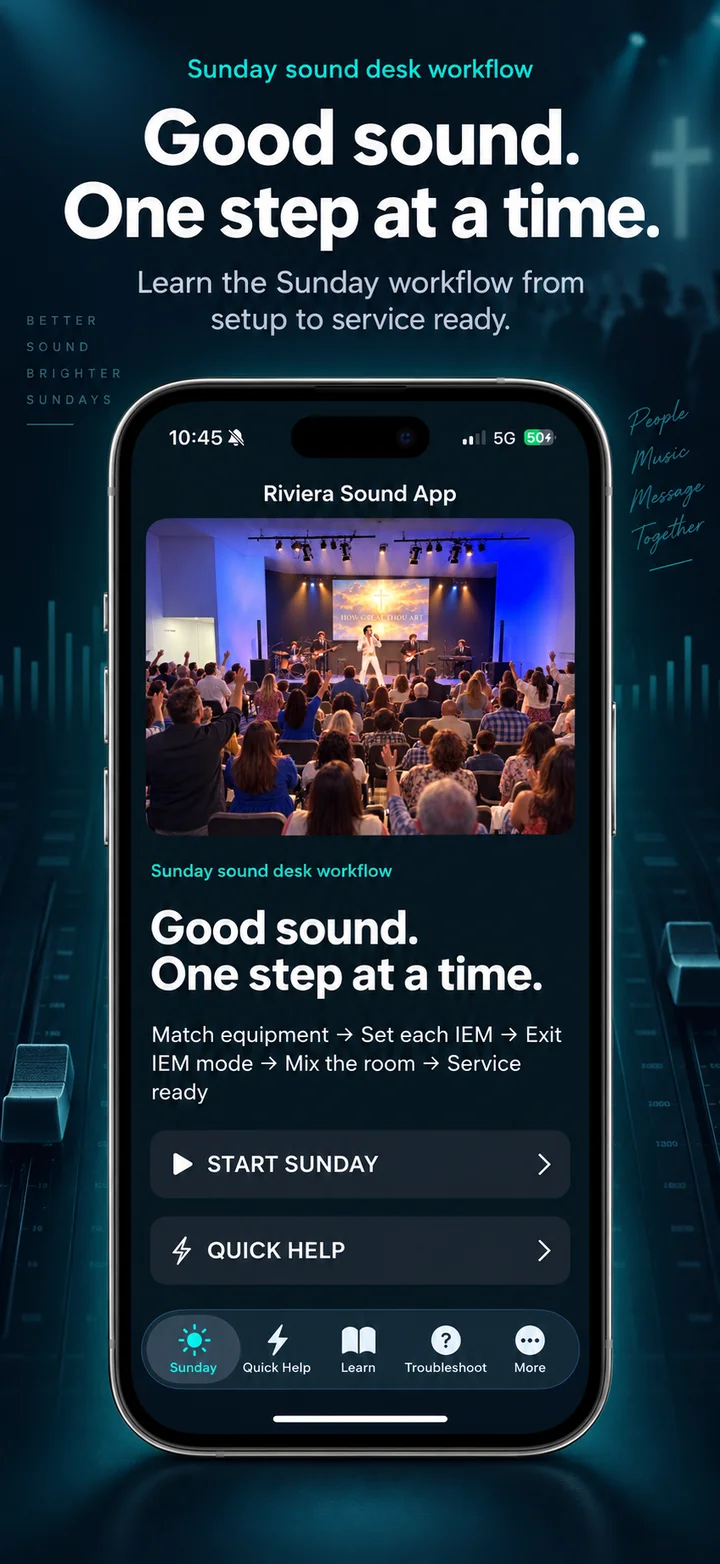
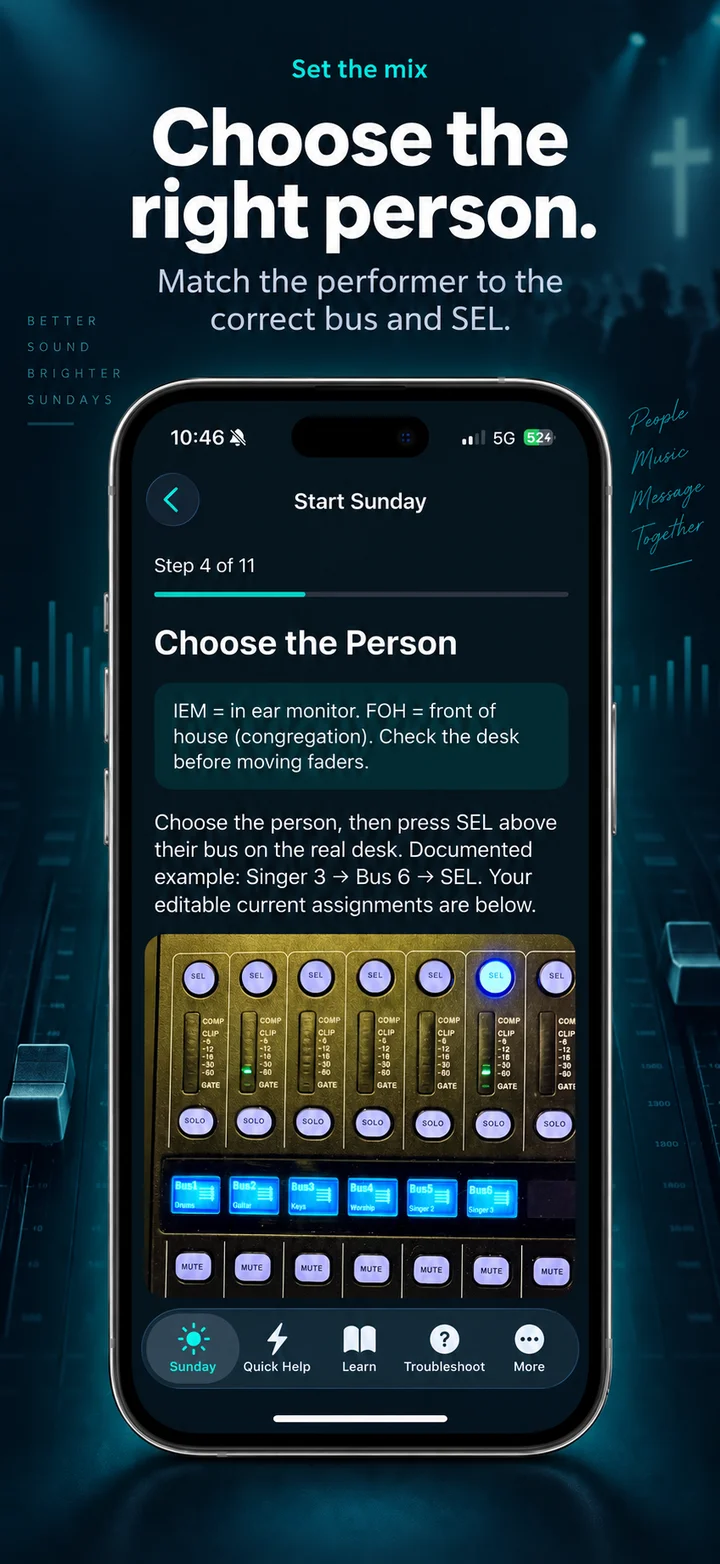
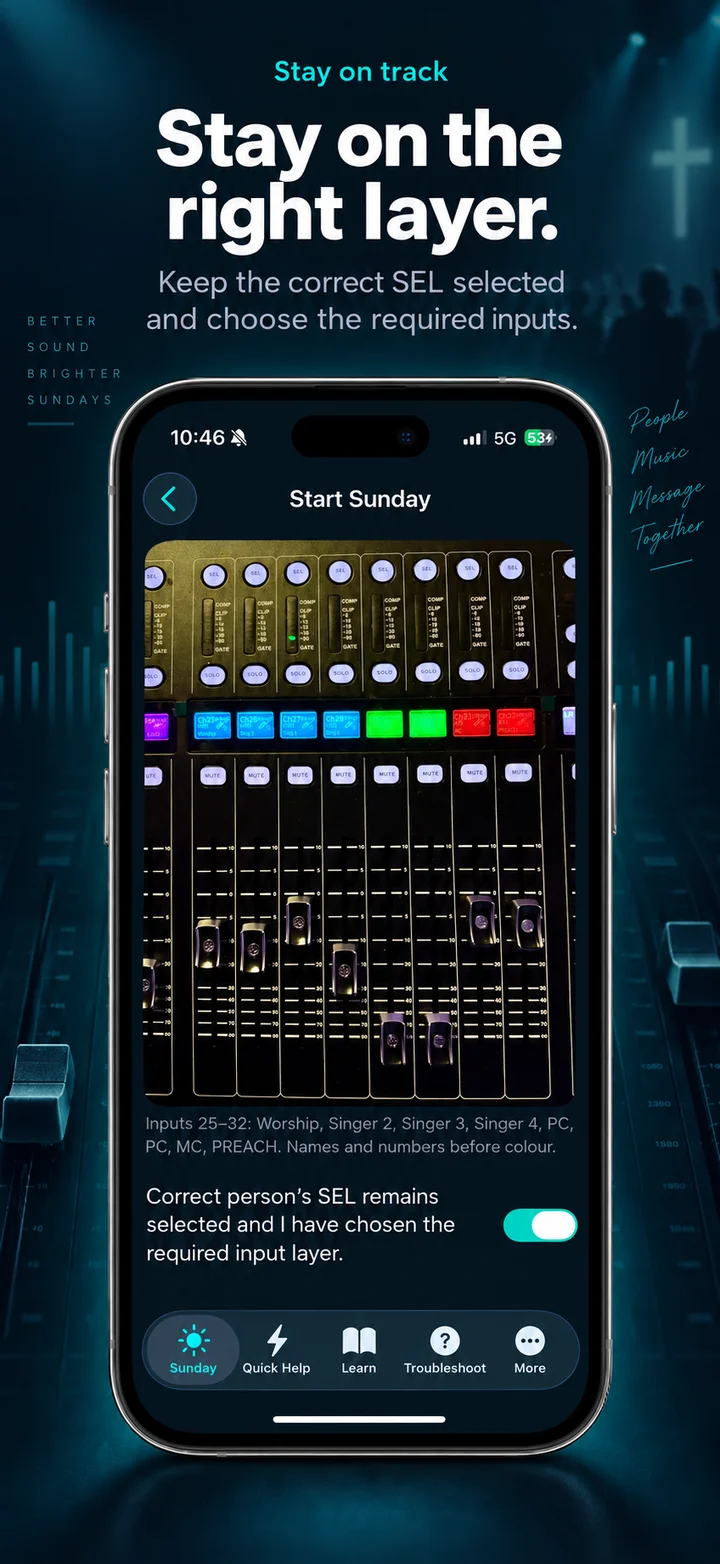
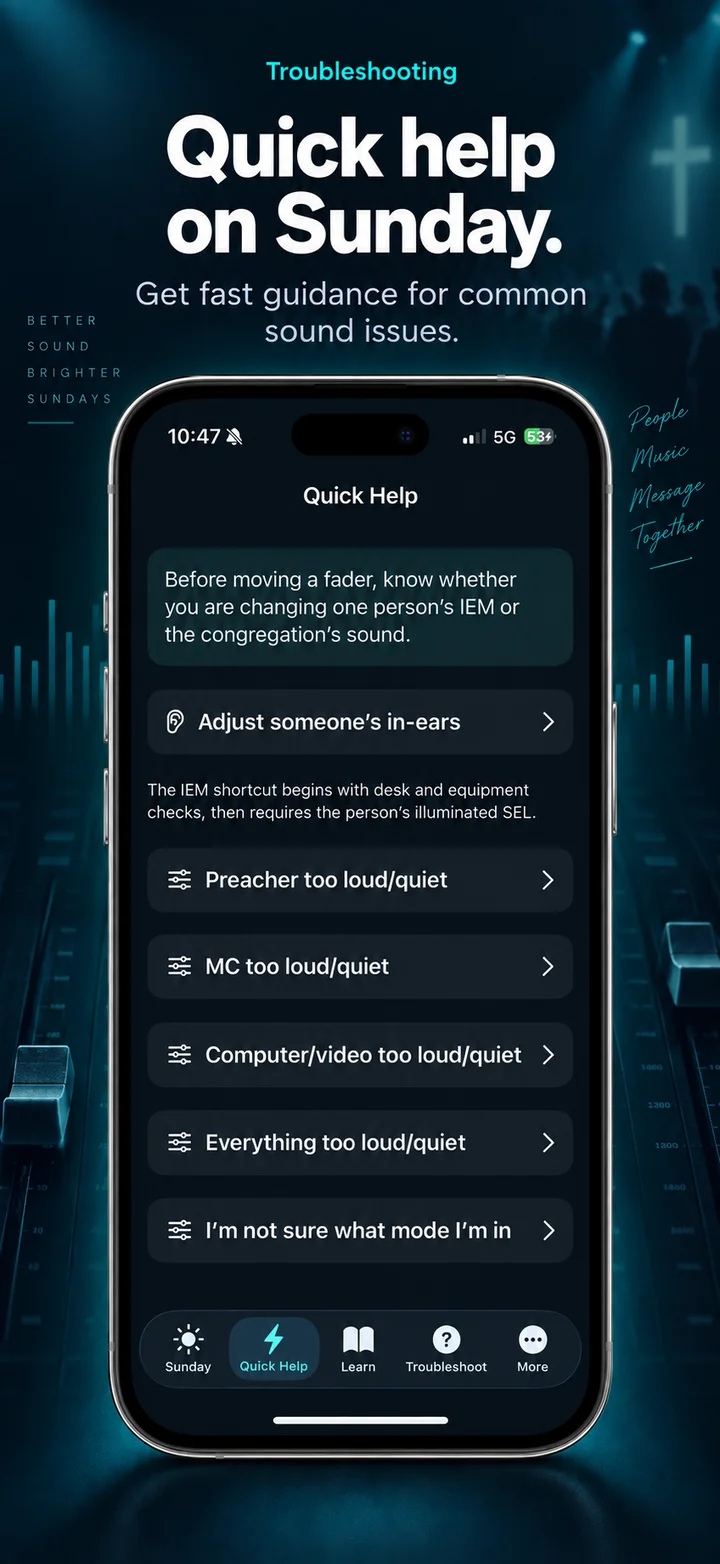
Learn the desk areas, work through performers’ in-ear monitor mixes, then return to the front-of-house sound for the congregation. Clear steps help you recognise what you are adjusting before you move a fader.
Practise identifying the performer and bus before making changes.
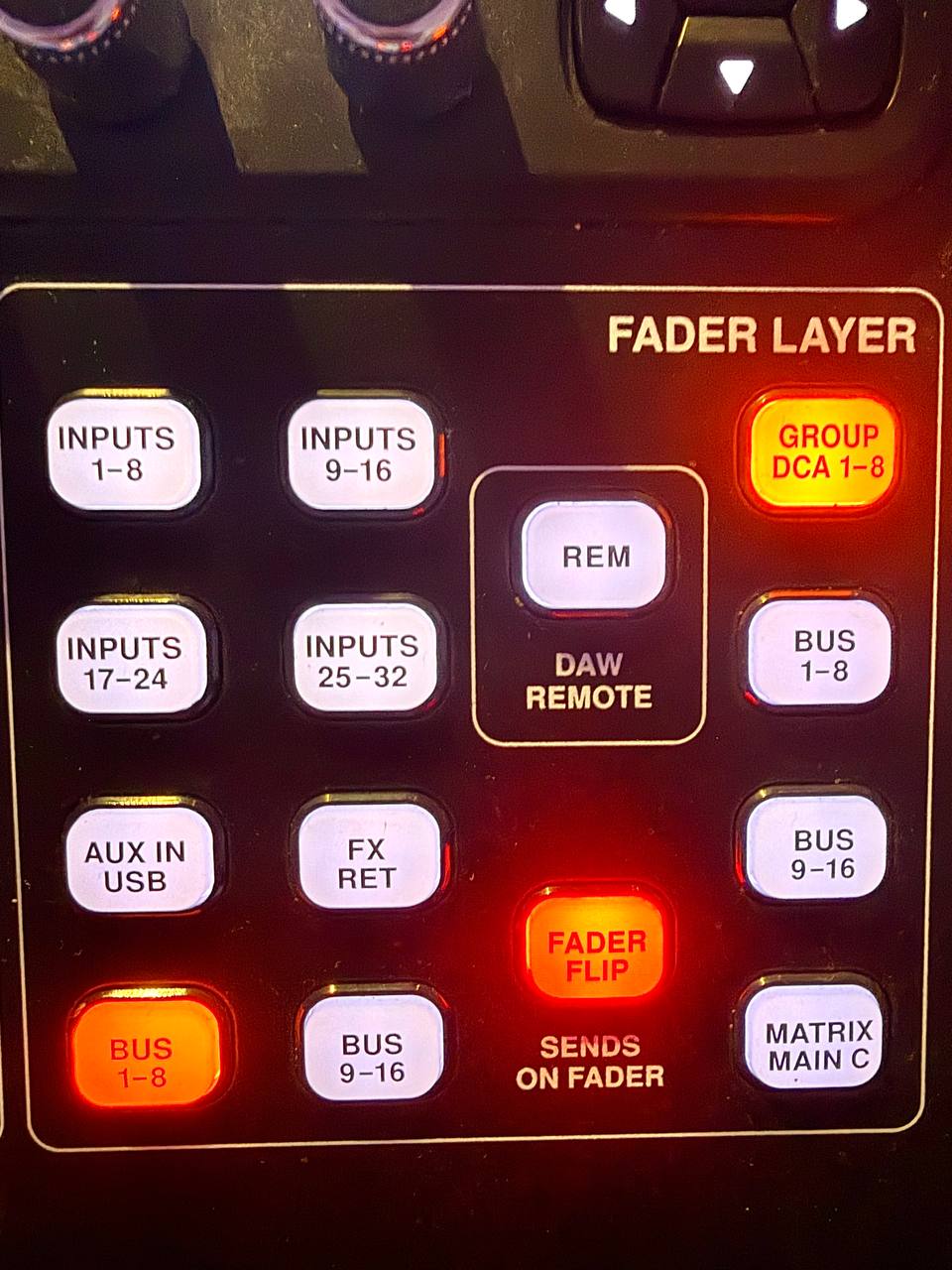
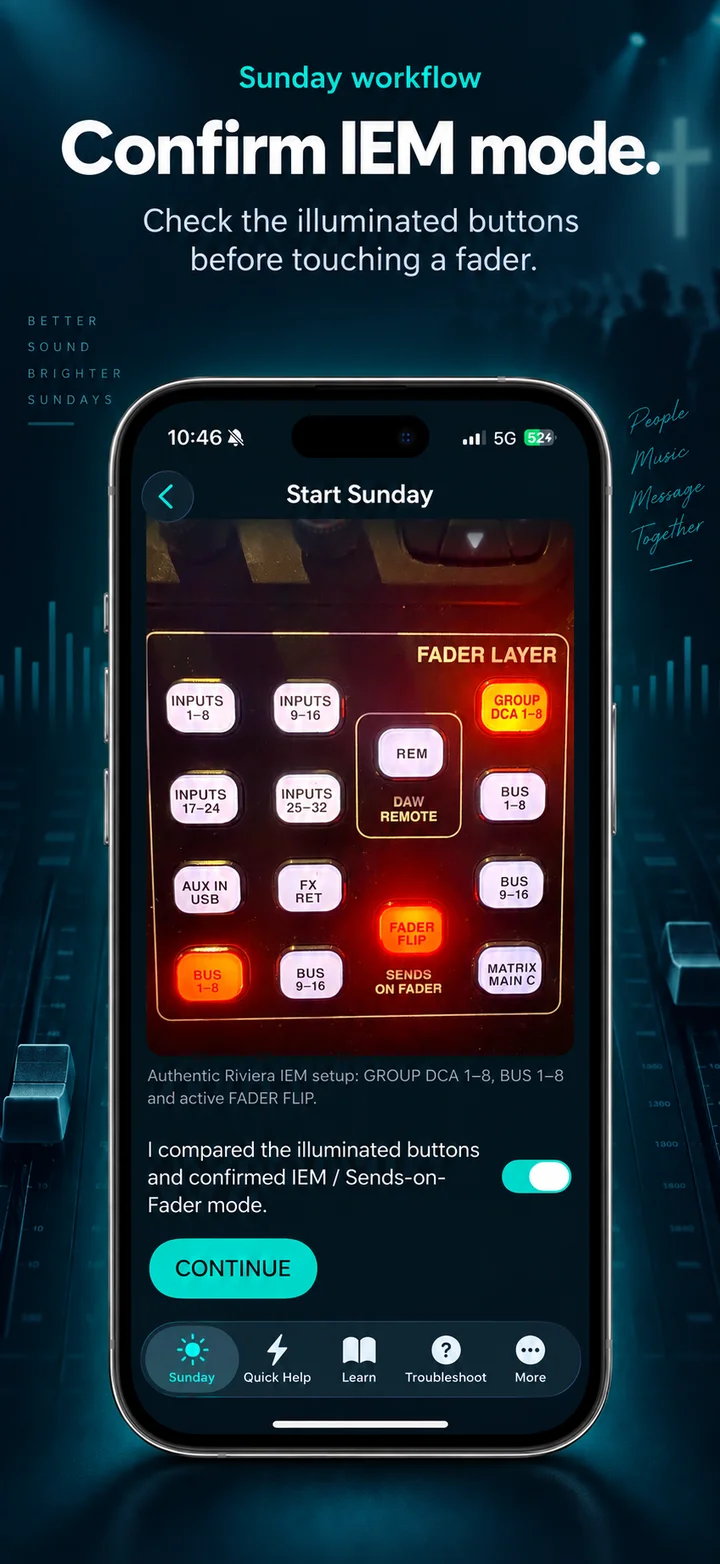
Keep the performers’ in-ear monitors separate from the main room mix.
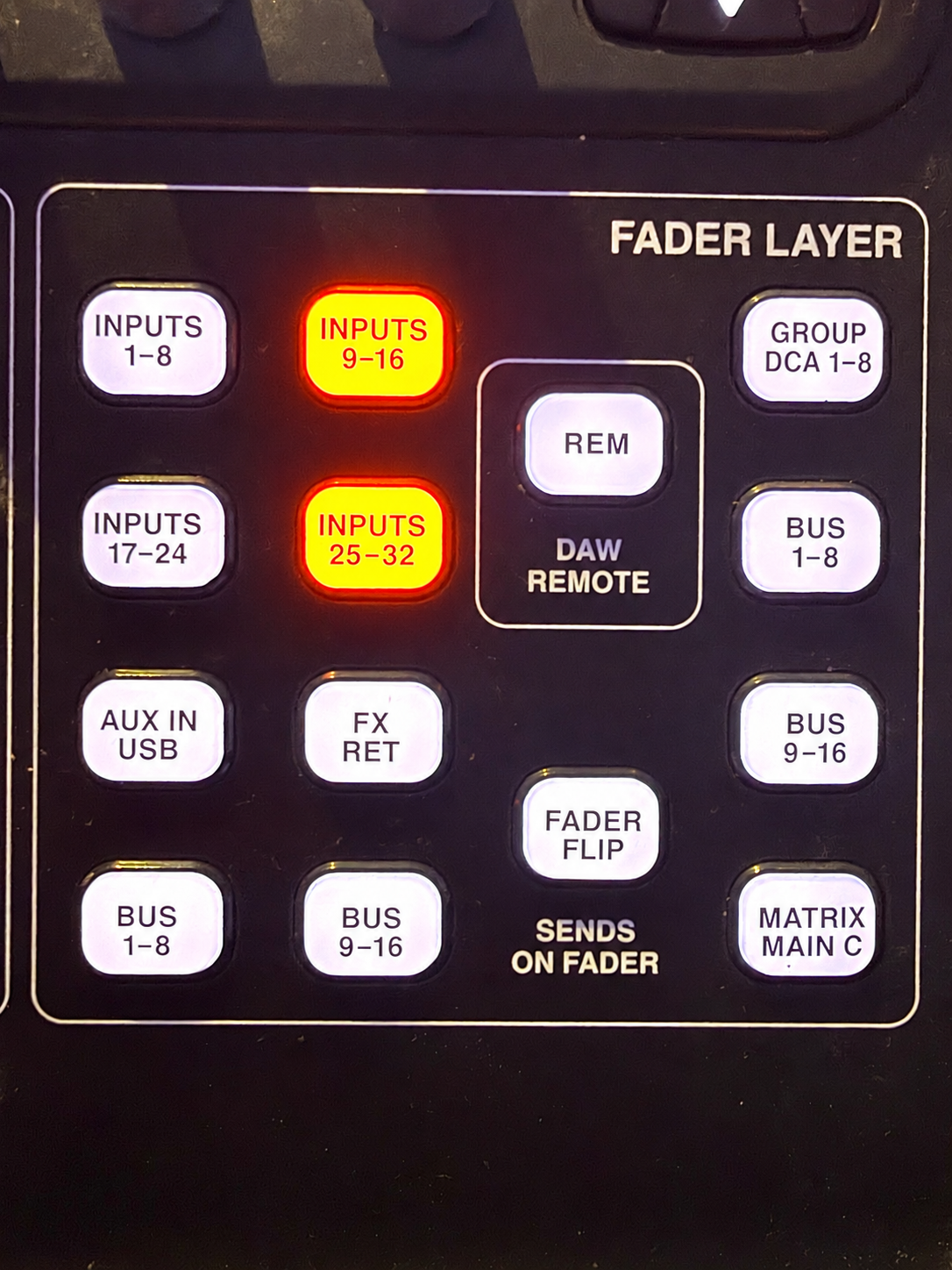
Follow the transition back to front of house with clear checks.
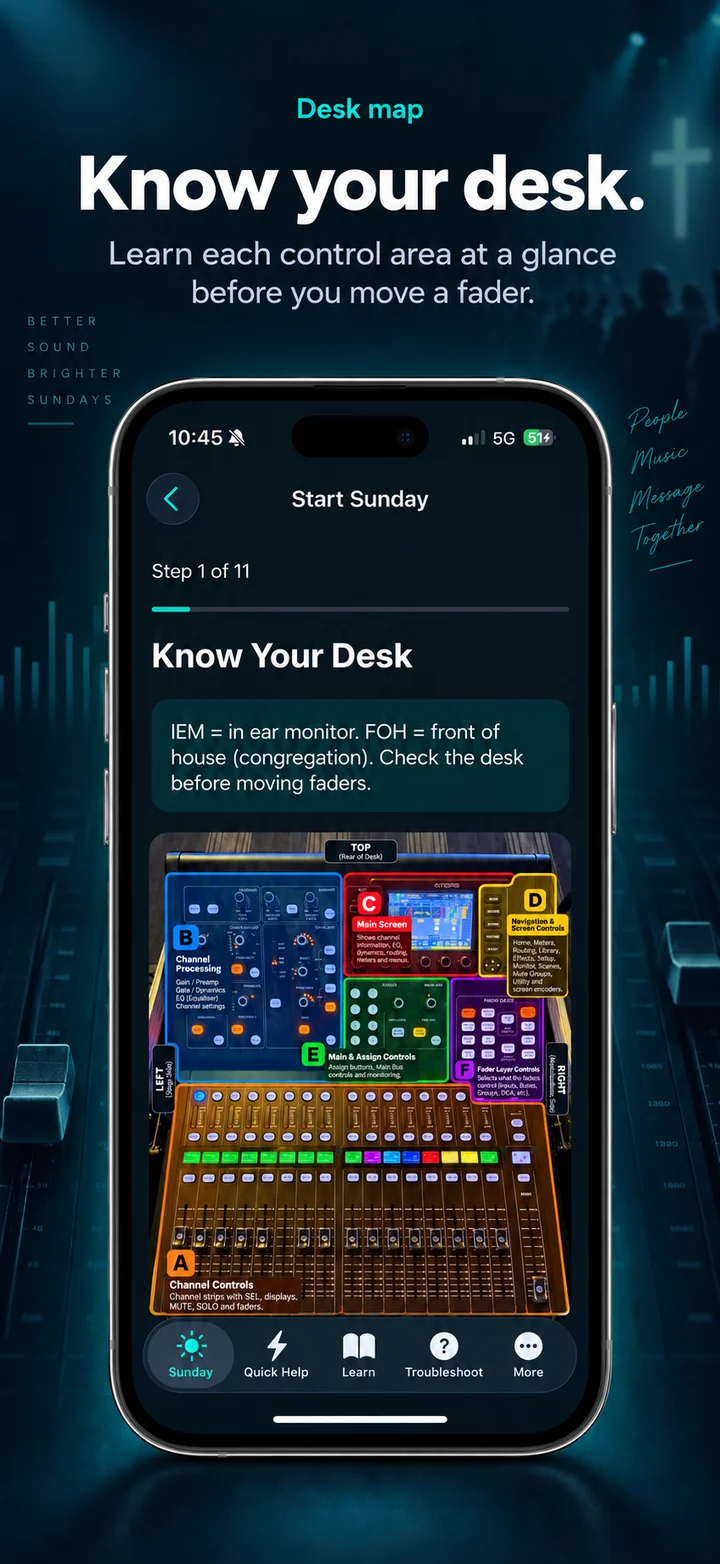
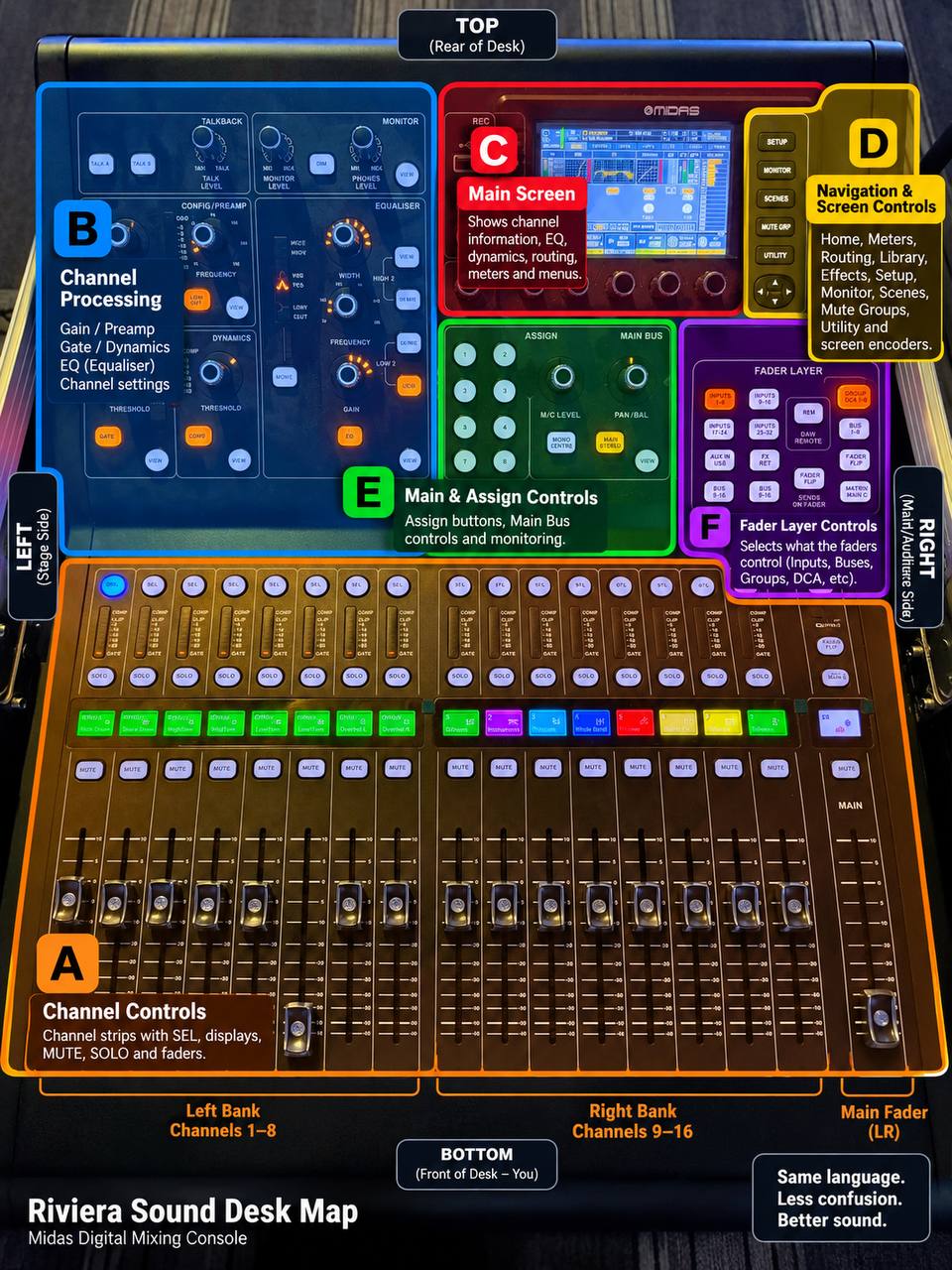
A colour-coded guide to the Riviera sound desk: find the channel faders, sound-processing controls, main screen, navigation buttons, main and assign controls, and fader layers at a glance. Use it to build confidence before working through the Sunday sound workflow.
No account is required. Training progress and venue notes stay on your device. The app is a training companion: it does not connect to or control your sound desk. Confirm your venue setup with your sound leader.
Designed for church creative groups, without claiming endorsement by a particular church or equipment manufacturer.
Practical app guide
Use Riviera Sound App before service to learn the workflow with your authorised local sound leader. This is a rehearsal checklist, not permission to operate unfamiliar equipment.
Fictional rehearsal: a singer asks for more keyboard in their in-ear mix. Before touching a control, explain whose mix you intend to change and ask the sound leader to confirm the actual person, bus, mode and input at your venue. Do not copy a bus number from an example photograph.
Open the desk map and identify the controls with your sound leader. Compare the reference photographs with the real desk. Differences in routing or equipment need local confirmation, not a guess.
Ask “Whose mix am I changing?” Rehearse BANK → NAME → MODE → TARGET. Have your leader confirm the person, their assigned bus and the relevant SEL control. Example assignments are not universal settings.
Use the Sunday workflow to practise recognising IEM mode and the required input layer. Explain how you would distinguish the performer’s in-ear mix from the front-of-house mix. Stop and ask if the displayed mode or target is unclear.
Review the return-to-front-of-house, speech, AV and shutdown steps with your leader. Record confirmed local procedures in venue notes. Use Quick Help for learning, not as a reason to make unsupervised live changes.
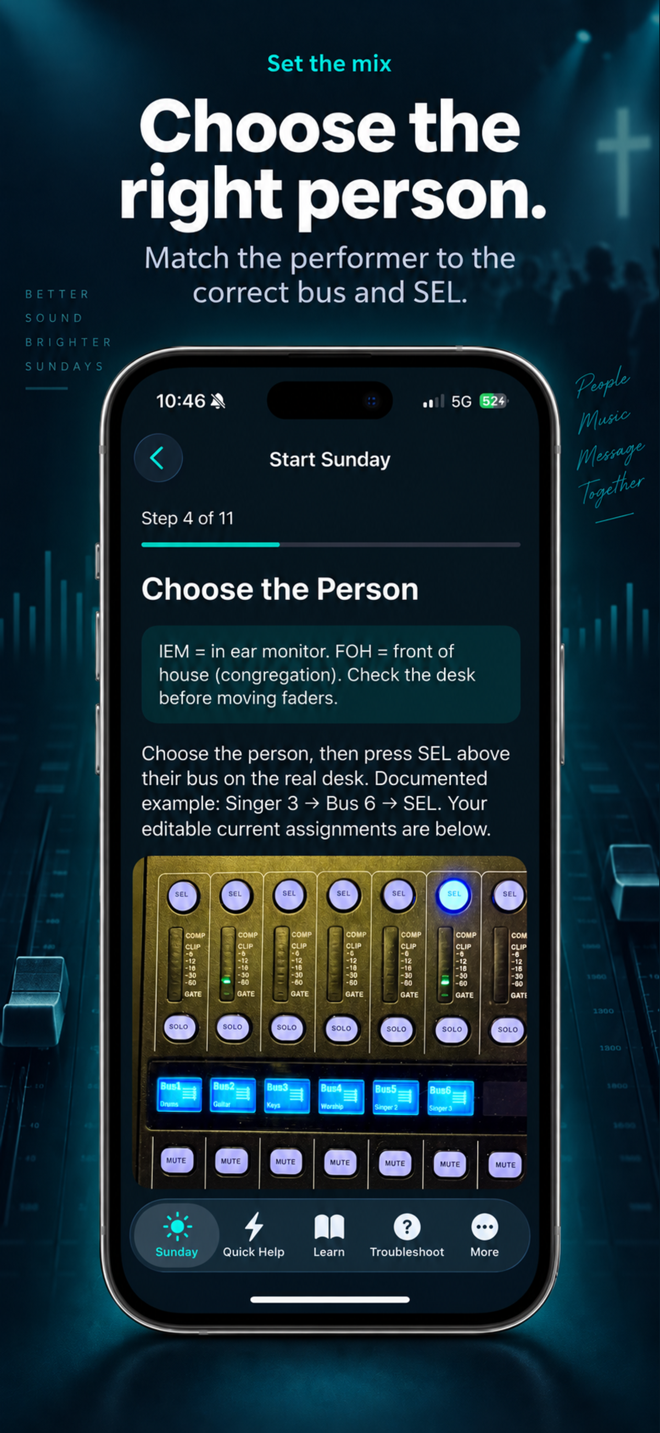
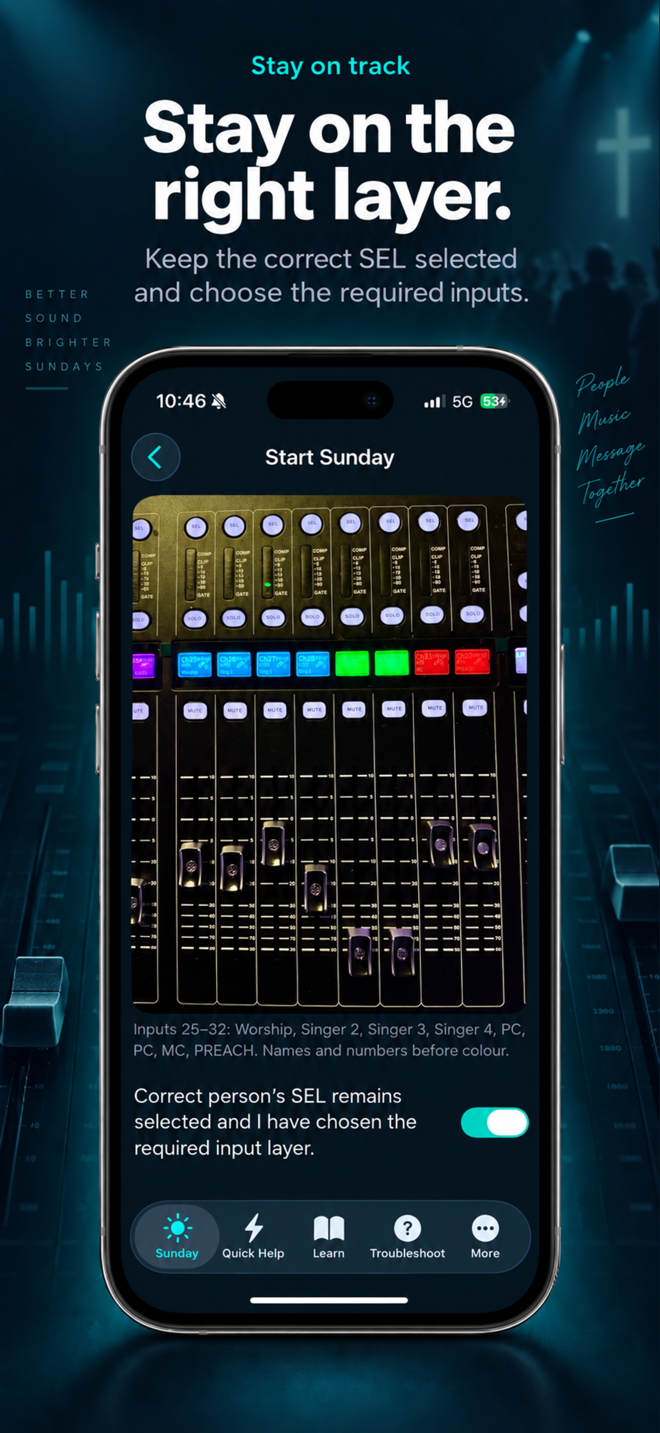
The app is a training aid, not remote mixer control. Photographs are references, not recommended levels. Passing a quiz does not authorise unsupervised operation. Confirm procedures and assignments with the authorised local sound leader.
View the app on the App Store · Explore the other practical guides