Skip the subscription. Simple splits or complicated trips—make who owes what clear. Record who paid, choose who shares each cost, and enjoy the experience together.
Six riders and three support crew cross the desert. Different mates pay for bike petrol, support fuel and dinner. Who should share which costs?
How the app helps: Keep the trip in one group. Share bike petrol between the riders, common costs between everyone, and let the app calculate the balances.
The difference: The organiser can share a clear summary instead of untangling everyone’s expenses after the trip.
Fictional teaching examples. AI-created illustrations, not app screenshots. The app calculates balances; it does not transfer money.
A LOOK INSIDE THE APP
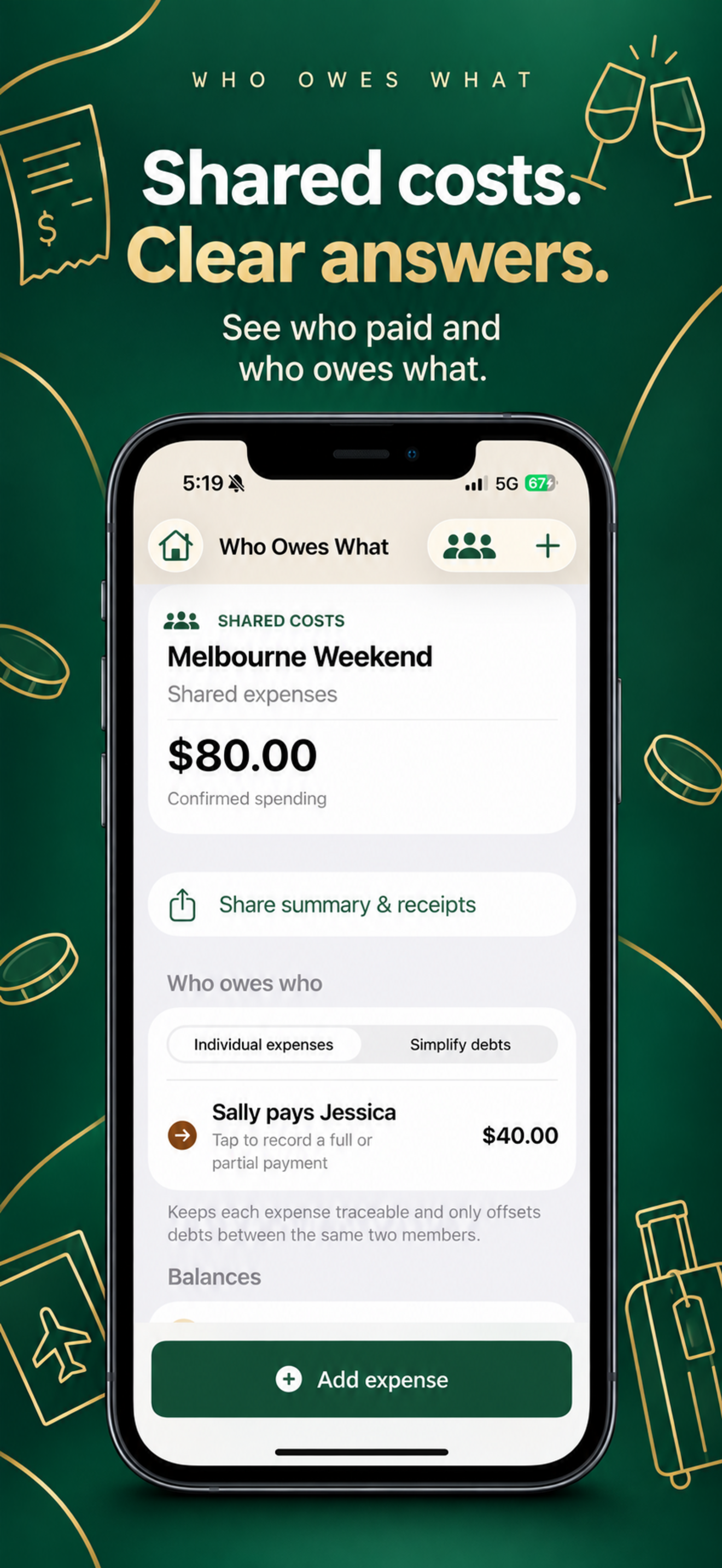
Shared costs. Clear answers.
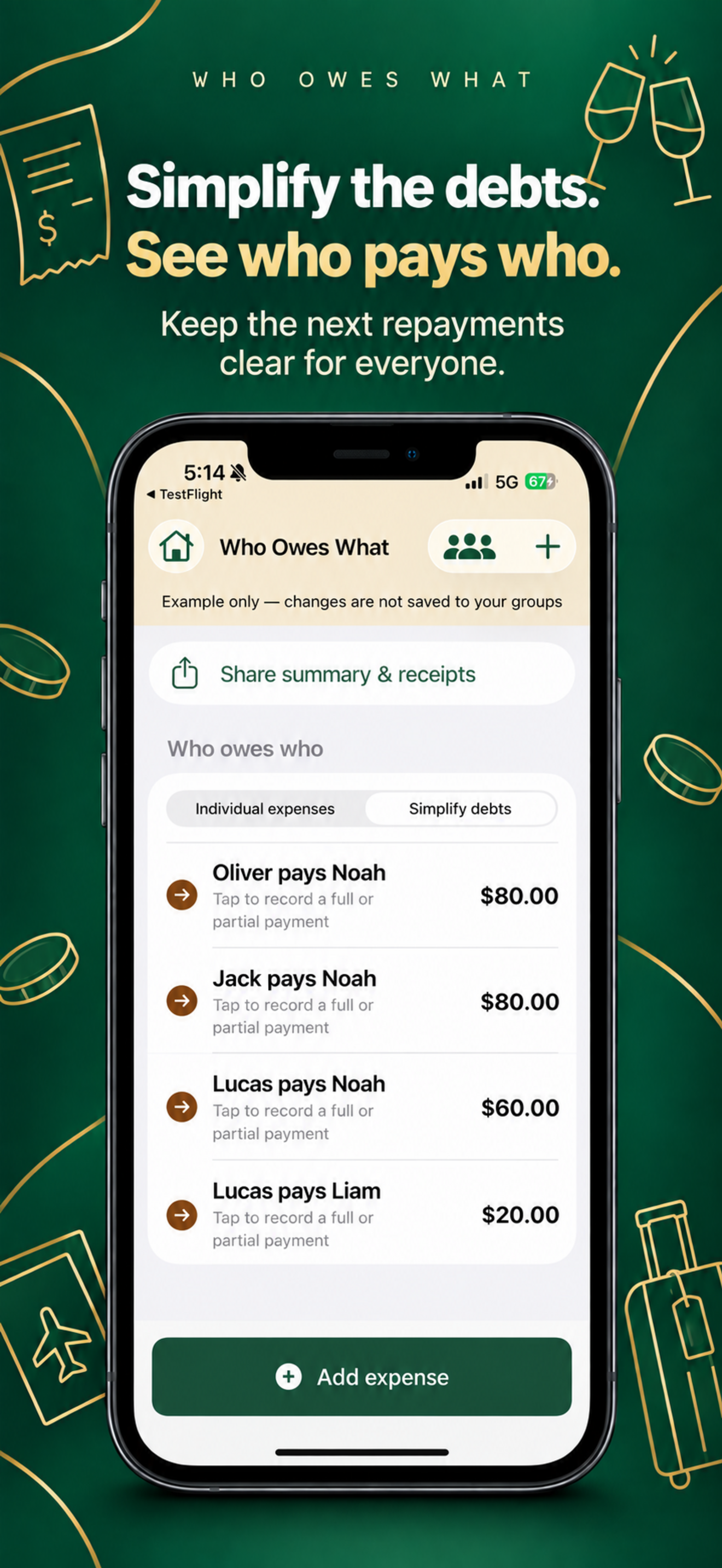
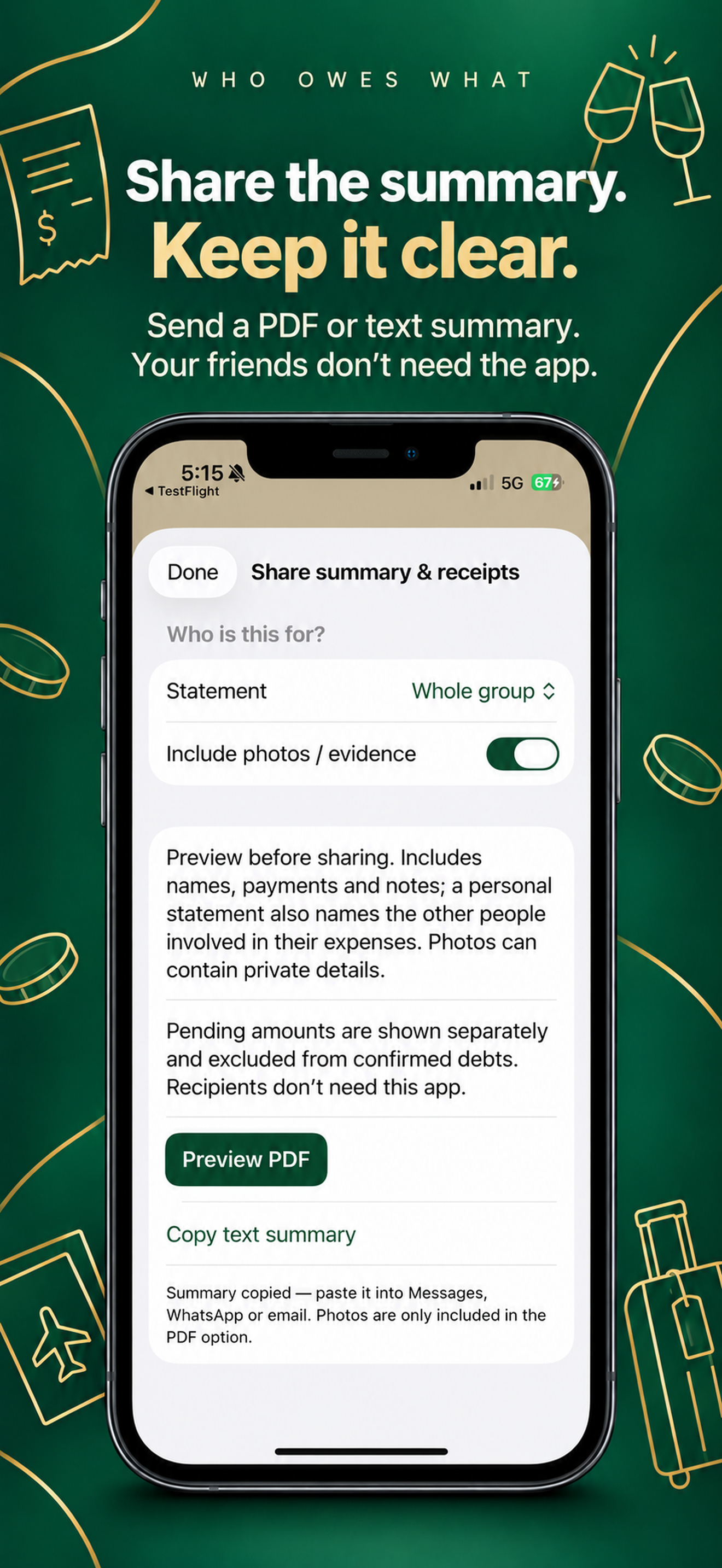
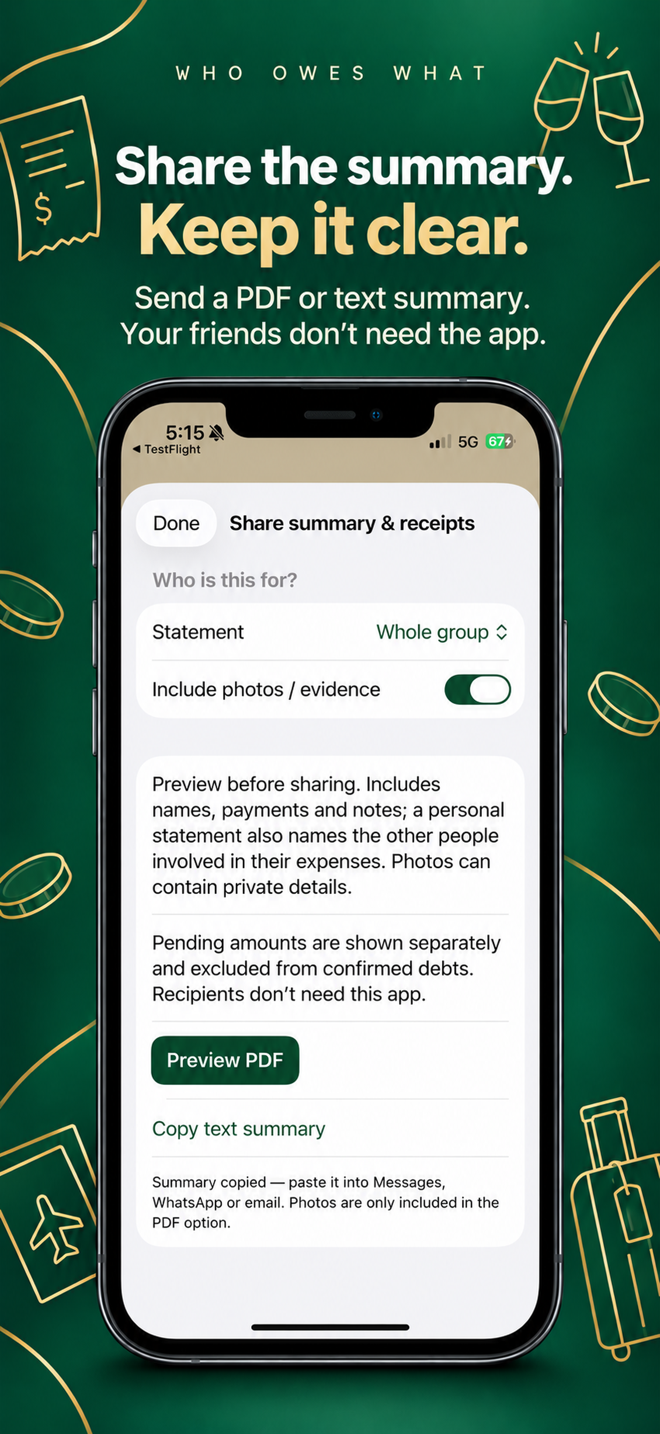
See who paid, simplify the repayments and share a clear summary. Earlier test-version promotional screenshots, not the released App Store stills used in the practical guide below.
See who paid and who owes whatSimplify debts and see who pays whomShare a PDF or text summary without everyone needing the app
Tap a screenshot to view it in full. Download the public iPhone app from the App Store.
Practical app guide
Split a dinner without charging everyone for everything
A practical walkthrough for Who Owes What. Use a separate group for the occasion, then record each cost against the people who actually shared it.
Fictional example: Alex pays $120 for dinner shared by Alex, Casey and Jo. Casey pays $30 for dessert shared only by Casey and Jo. Dinner is $40 each; dessert is $15 each for two people. Alex has paid $120 against a $40 share and gets back $80. Casey has paid $30 against a $55 share and owes $25. Jo has paid nothing against a $55 share and owes $55. The balances add to zero.
Create the group
Add Alex, Casey and Jo. Agree who shared each purchase before entering it; the person who paid is not necessarily the only person who benefits.
Record the two expenses separately
Enter dinner as $120 paid by Alex, shared by all three. Enter dessert as $30 paid by Casey, shared by Casey and Jo only. Check the amount, payer, participants and payment status before saving. A pending expense stays out of confirmed balances until confirmed.
Check before sharing
Compare the balances with the worked example. If they differ, check for a duplicate expense, the wrong participants or a pending entry. Review any recognised receipt text rather than assuming it is correct.
Send a copy, then record repayment
Preview the PDF or text summary and check whether it includes private notes or photos. Share only with your intended recipients. After a real repayment happens outside the app, record it; a calculated balance is not a transfer.
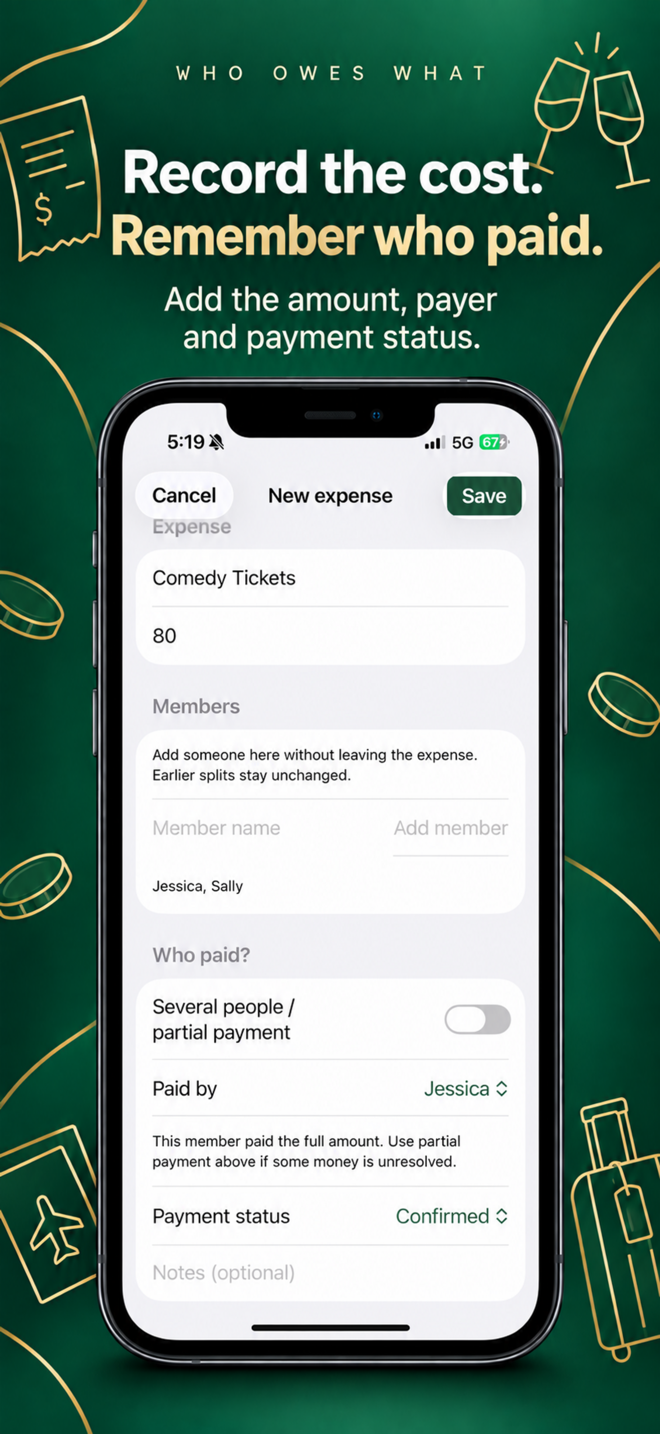
Record the amount, payer and participants. Published promotional artwork; a separate screen sample, not the fictional example above.Preview what the shared summary contains. Published promotional artwork; a separate screen sample, not the fictional example above.
Know the limits
Friends can read a shared summary without installing the app. Shared copies do not update automatically; send a fresh copy after corrections. There is no bank connection or live-synced group account.
Fictional example images, not payment evidence or app screenshots. Tap an image to see it in full. The example calculations above use the recorded expense amounts.
The details stay clear. The friendship stays easy.
Separate groups for separate adventures.
Choose the people who actually share each expense.
Keep notes and photos alongside the numbers.
Share a clear summary, not a confusing message trail.
GOOD TO KNOW
No awkward surprises.
Can I download it yet?
Yes. Who Owes What is available on the Australian App Store for A$4.99, paid once for the full app. No subscriptions or in-app purchases. Check your App Store for local pricing and availability.
Does it move money or connect to my bank?
No. You record expenses and repayments. The app calculates shares and balances; it does not transfer money or monitor bank accounts.
Does everyone need the app?
No. Share a PDF or text summary through your iPhone’s sharing options. Your friends can read the shared copy without installing the app. Copies do not update automatically.
Where are my group details stored?
Group records, notes and attached photos are stored locally by the app on your device. You choose what to share and with whom. This is not a live-synced group account.
Enjoy the experience. Leave the maths to us.
Get Who Owes What for iPhone. Questions or feedback? Contact Business Innovations Australia.